SharePoint · SharePoint migration · SPMT
SPMT vs ShareGate: which SharePoint migration tool should you use?
By Wenceslao Leon · · 5 min read
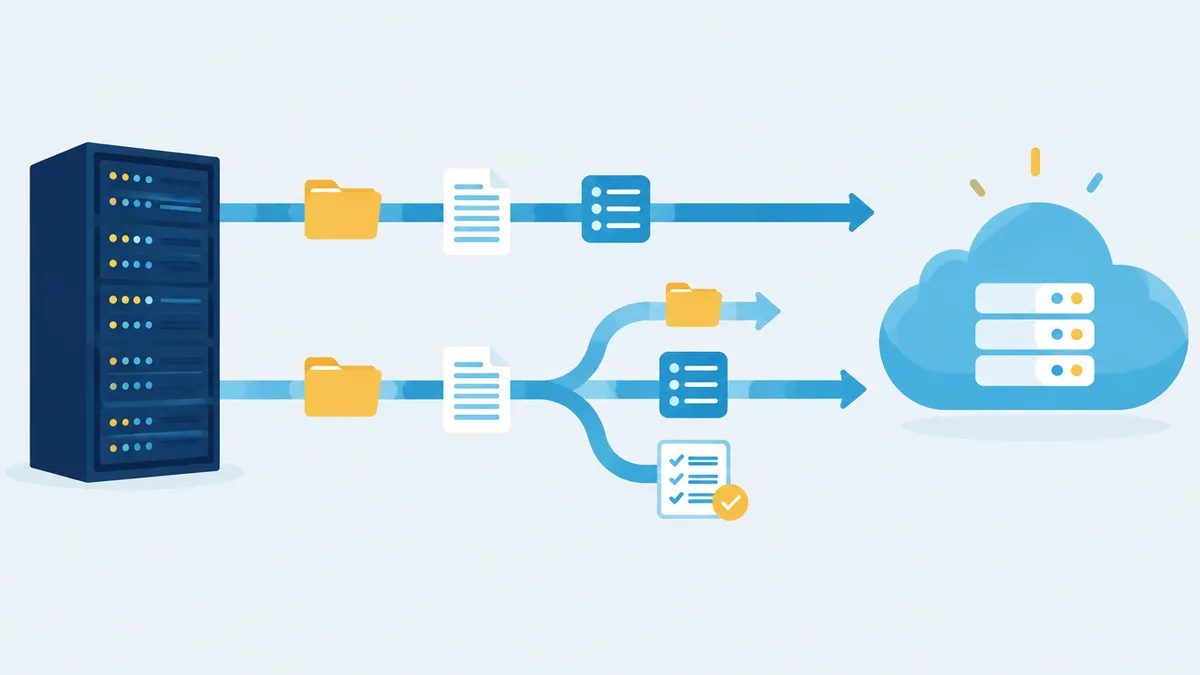
If you are moving SharePoint Server or file shares to Microsoft 365, two names come up first: Microsoft’s free SharePoint Migration Tool (SPMT) and ShareGate Migrate, the best-known commercial tool. Both are solid. They are built for different jobs, and the cost of picking the wrong one usually shows up halfway through the project. Here is how they compare.
The short version
- SPMT is free, made by Microsoft, and handles the common case well: SharePoint Server 2010 to 2019 or file shares into SharePoint Online, OneDrive, or Teams.
- ShareGate Migrate is a paid tool that adds tenant-to-tenant moves, Google Workspace and Exchange sources, richer pre-migration reports, and more control over restructuring.
- Neither tool moves Nintex workflows into SharePoint Online, and neither one fixes custom farm solutions. Plan for those separately.
SharePoint Migration Tool (SPMT)
Microsoft describes SPMT as “a free and easy to use migration solution.” The current release is 4.1.130.4 (August 2026).
Sources: SharePoint Server 2010, 2013, 2016, and 2019, SharePoint Foundation 2010 and 2013, and file shares. Destinations: SharePoint Online, OneDrive, and Teams.
What it migrates:
- Files, folders, and list items for the supported list templates
- Permissions, versions (you choose how many), and managed metadata, including content types and the term store
- Out-of-the-box sites, navigation, supported web parts, and, since version 4.1, modern sites and pages from SharePoint 2019
- Incremental reruns that move only new or changed files
- SharePoint 2010 out-of-the-box workflows and SharePoint Designer 2010 and 2013 workflows, converted to Power Automate. Site workflows and workflow history do not migrate.
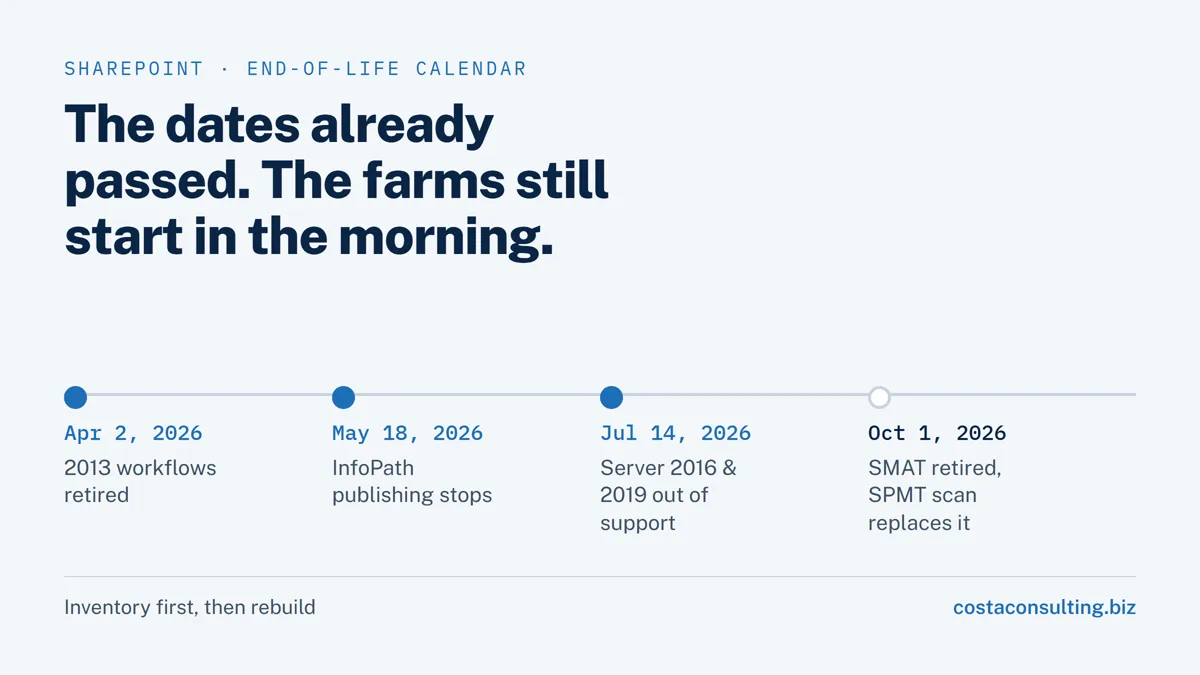
Everything in SPMT can also be scripted with PowerShell. Since SPMT 4.0, a built-in scan produces an inventory and risk report before you move anything. It replaced the SharePoint Migration Assessment Tool (SMAT), which Microsoft retired on October 1, 2026.
What SPMT does not do:
- Tenant-to-tenant moves. Microsoft offers a separate cross-tenant SharePoint migration for that, run with PowerShell and licensed per 100 GB for Enterprise Agreement customers. It moves sites rather than copying them, and it cannot merge into sites that already exist.
- Sites that use custom code or third-party tools. Site migration is limited to out-of-the-box sites.
- Cloud sources such as Google Drive, Box, or Dropbox. For those, Microsoft points to Migration Manager in the SharePoint admin center, which also handles large file-share migrations with multiple agents.
ShareGate Migrate
ShareGate is developed by Workleap, a company based in Montreal. ShareGate states that it is not owned or backed by Microsoft. Its migration product, ShareGate Migrate, is a desktop tool.
Sources: SharePoint Server 2010 through Subscription Edition, Microsoft 365 tenants (tenant-to-tenant), file shares, Google Workspace (Drive, Gmail, Calendar), Exchange Online, Entra ID, Teams, OneDrive, and Box on the higher plans. Dropbox is not supported.
What it adds over SPMT, according to ShareGate:
- Tenant-to-tenant migration for mergers, divestitures, and consolidations, including Teams channels, conversations, and Planner
- Pre-migration assessment and scan reports, plus per-item success, warning, and error reports
- Restructuring during the copy: reorganize sites, map metadata and content types, and map Purview sensitivity labels
- Preservation of permissions, authors, timestamps, metadata, and versions, with incremental reruns
- PowerShell for repeatable, scripted runs
Pricing (public as of October 2026): subscription plans start at USD 5,995 (Essentials, up to 250 employees), USD 9,995 (Pro, up to 1,000 employees, adds Google, Exchange, Entra, and Purview), and USD 17,995 (Enterprise). Licensing is per machine activation, not per user, with unlimited data. There is a 15-day full-featured trial.
Side by side
| SPMT | ShareGate Migrate | |
|---|---|---|
| Price | Free | From USD 5,995 per subscription |
| Made by | Microsoft | Workleap (ShareGate) |
| SharePoint Server sources | 2010 to 2019 | 2010 to Subscription Edition |
| File shares | Yes | Yes |
| Tenant-to-tenant | No (separate paid Microsoft service) | Yes |
| Google Workspace, Exchange | No (Migration Manager covers Google Drive) | Yes, on Pro and Enterprise |
| Pre-migration report | Built-in scan | Assessment and scan reports |
| Restructure while migrating | Limited | Yes |
| Classic workflows to Power Automate | SharePoint 2010 and Designer 2010/2013 | No |
| Nintex workflows to Microsoft 365 | No | No (on-premises to on-premises only) |
| PowerShell | Yes | Yes |
What neither tool solves
Nintex workflows and forms. ShareGate’s Nintex add-on supports Nintex for SharePoint only between on-premises farms, and states that it no longer migrates Nintex workflows to or from Microsoft 365. SPMT does not migrate Nintex either. Moving Nintex processes to the cloud means rebuilding them in Nintex Automation CE or Power Automate. We did exactly that for Pluspetrol.
Custom code and InfoPath. Farm solutions, custom master pages, and InfoPath forms have to be rebuilt or retired. See InfoPath has been retired and SharePoint 2013 workflows stopped running.
Messy information architecture. A tool copies what you point it at. Deciding which sites to merge, archive, or delete is still a human job, and it is the step that most affects how the new environment works.
How to choose
Choose SPMT when:
- You are moving SharePoint Server 2010 to 2019 or file shares into one Microsoft 365 tenant.
- The sites are mostly out of the box, and you are keeping roughly the same structure.
- Budget matters, and your team or partner is comfortable with PowerShell for scale.
Choose ShareGate Migrate when:
- You need tenant-to-tenant moves, or sources such as Google Workspace or Exchange.
- You want to reorganize sites and metadata while you migrate.
- The project is large or repeated, and detailed reports for each pass will save time.
For an upgrade that stays on-premises, such as SharePoint Server 2016 or 2019 to Subscription Edition, you may not need a migration tool at all: Subscription Edition accepts content databases from 2016 and 2019 by database attach. We cover that path in SharePoint 2016 and 2019 are out of support.
How we can help
Costa Consulting Group plans and runs SharePoint migrations, from a single site collection to a 10-server farm with about 100 TB of content databases, and rebuilds the forms and workflows that do not move on their own. We pick the tool per project, not the other way around. See our SharePoint services or book a discovery call, and bring your farm inventory or SPMT scan report.
Sources
- Microsoft Learn, Introducing the SharePoint Migration Tool, What is supported by SPMT, and SPMT release notes, August 2026.
- Microsoft Learn, SPMT scan and SharePoint Migration Assessment Tool (retirement notice, October 2026).
- Microsoft Learn, Migrate workflows with SPMT.
- Microsoft Learn, Cross-tenant SharePoint migration and Migration Manager.
- ShareGate, About, ShareGate Migrate, and Pricing, accessed October 2026.
- ShareGate Help Center, Nintex migration support, August 2026.