Power Apps · Dataverse · SharePoint
Dataverse vs SharePoint lists for Power Apps: how to choose
By Costa Consulting Group · · 5 min read
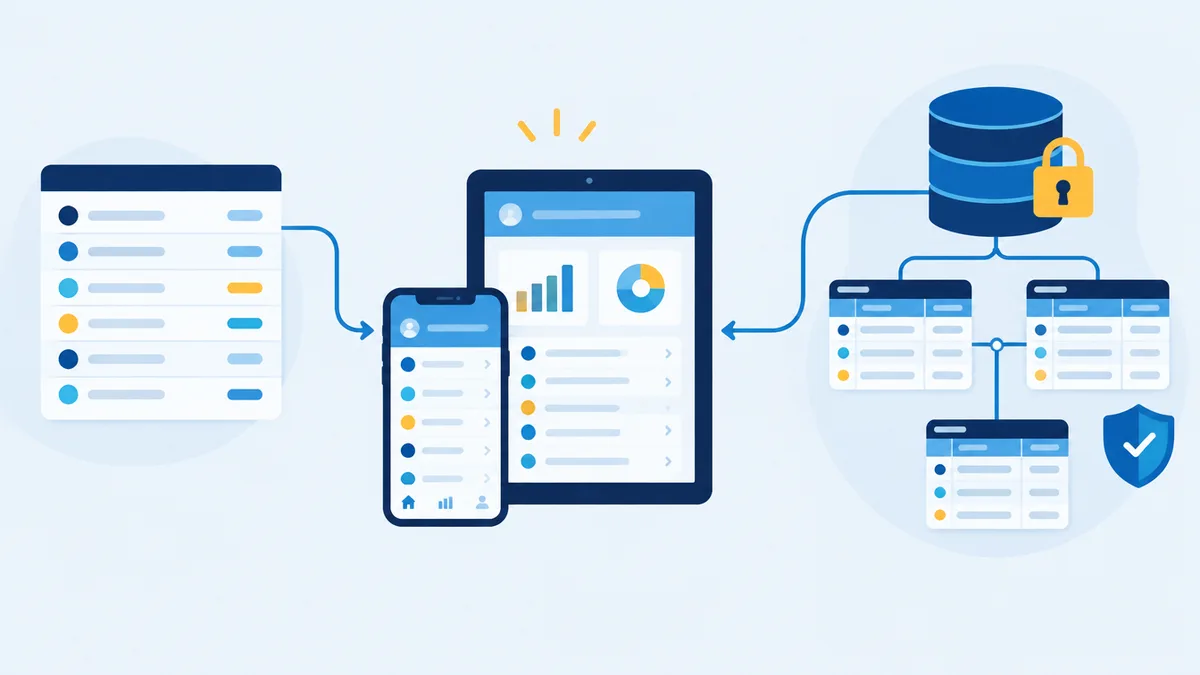
Almost every Power Apps project starts with the same question: do we keep the data in a SharePoint list, or do we put it in Dataverse? The list is already paid for. Dataverse costs a premium license per user. The wrong answer tends to surface a year later, when the app is slow, the numbers are silently wrong, or the security model can no longer express who should see what. Here is how we decide.
The short version
- SharePoint lists fit departmental apps with simple data, modest volume, and users who all already have Microsoft 365. No extra license.
- Dataverse fits apps with related tables, row-level or field-level security, large or fast-growing data, offline use, or server-side business rules. Every user needs a premium license.
- The most expensive choice is starting on a list for an app that clearly needed Dataverse, then migrating under pressure.
SharePoint lists: what you get and where it hurts
The SharePoint connector is a standard connector, so apps built on lists are covered by the Power Apps rights included in most Microsoft 365 plans. That is the main reason lists are so popular.
The limits that matter in practice:
- The 5,000-item list view threshold. A list can hold up to 30 million items, but operations that exceed 5,000 items in a view are blocked, and the threshold cannot be changed in SharePoint Online. Indexed columns (up to 20 per list) are the workaround.
- Lookup columns. Views are limited to 12 lookup-type columns, which include Person and Group fields.
- Permissions. Above 100,000 items you can no longer break or restore inheritance on the list or its folders, and Microsoft recommends no more than 5,000 unique permissions per list. Row-level security in a list is possible, but it is fragile at scale.
- Delegation. This is the one that bites. Power Apps sends a query to SharePoint only when the function is delegable. Filtering with
=works on most column types, and ranges work on numbers and dates, butSearch,Not,IsBlankon text, comparisons such as>on text, and most text functions are not delegable. When a query is not delegated, Power Apps processes only the first 500 rows (configurable up to 10,000) and the results beyond that are silently incomplete. - Attachments. Through the Power Platform connector, list attachments and images are limited to 90 MB.
Dataverse: what the license buys
Dataverse is a managed, relational database built into the Power Platform. Microsoft’s comparison highlights:
- No specified row limit, 24 data types, relational tables, and elastic tables for very high volume.
- Security: security roles, business units, row sharing, column-level security, hierarchy security, and auditing per table and per column.
- Logic that runs on the server: business rules that apply “regardless of the app used”, calculated, formula, and rollup columns, plug-ins, and integration through webhooks, Service Bus, and Event Hubs.
- Broadest delegation support in Power Apps, so queries stay accurate as the data grows.
- Offline-first canvas apps and model-driven mobile offline. SharePoint lists are not an offline-first source.
- ALM: solutions, managed deployments, and environment variables to move apps between development, test, and production.
- Model-driven apps, business process flows, and the Copilot features in Power Apps are built on Dataverse.
What it costs
Prices as published by Microsoft in October 2026 (USD, annual commitment):
| SharePoint list | Dataverse | |
|---|---|---|
| License for app users | Included with most Microsoft 365 plans | Power Apps Premium, $20 per user per month ($12 for 2,000+ new seats) |
| Pay-as-you-go option | Not needed | $10 per active user per app per month, billed through Azure |
| Storage | SharePoint storage | 20 GB database, 20 GB file, 2 GB log per tenant, plus 250 MB database and 2 GB file per Premium license |
| Extra storage | SharePoint add-on | Database $40 per GB per month, file $2 per GB per month |
A note on Dataverse for Teams, the free, cut-down version that lives inside Teams: Microsoft has deprecated it. New Dataverse for Teams environments cannot be created from November 15, 2026, and environments that are not upgraded will be decommissioned on October 30, 2027. Do not start new apps on it.
Signals that you need Dataverse
Pick Dataverse from the start when two or more of these are true:
- The data has real relationships: orders and order lines, cases and tasks, contracts and parties.
- Different users must see different rows or fields, and the rule is more than “everyone in this site”.
- The table will pass 5,000 rows soon and users need to search or filter it freely.
- The same rules must hold no matter which app, flow, or integration writes the data.
- People need the app offline, in the field.
- You need an audit trail of who changed what.
- The app will be moved through development, test, and production environments.
If none of these apply, a SharePoint list is a perfectly good choice, and often the right one.
Moving from a list to Dataverse later
Microsoft offers three paths:
- Create a table from a SharePoint list in Power Apps, a Copilot-assisted import that is still in preview and skips some column types, such as managed metadata and attachments.
- Dataflows (Power Query) to load and transform list data into Dataverse tables, once or on a schedule.
- Virtual tables through the SharePoint connector, which keep the data in SharePoint but expose it as a Dataverse table. They require a Power Apps or Dynamics 365 license.
Either way, the app itself needs rework: formulas, data sources, and security move with the data. That is why the decision is worth making early.
How we can help
We build Power Apps on SharePoint lists and on Dataverse, and we migrate apps that outgrew their list. Costa Consulting Group is a Microsoft 365 consultancy and a Nintex partner with certified consultants, so we can also tell you when the process belongs in neither. See our Power Automate and Power Apps services or book a discovery call and bring the app or the spreadsheet you want to replace.
Sources
- Microsoft Learn, Comparing Microsoft Lists, Dataverse for Teams, and Dataverse, October 2026.
- Microsoft Learn, SharePoint limits, October 2026, and Microsoft Support, Manage large lists and libraries.
- Microsoft Learn, Connect to SharePoint from a canvas app and Delegation overview, October 2026.
- Microsoft Learn, Why choose Dataverse? and What is Dataverse?.
- Microsoft, Power Apps pricing, and Power Platform Licensing Guide, October 2026.
- Microsoft Learn, About the Dataverse for Teams environment, October 2026.
- Microsoft Learn, Create a table from a SharePoint list, Dataflows, and Virtual tables using connectors.