Product · Digital signatures
SignRelay: sign hundreds of documents with your certificate, in minutes
SignRelay signs the PDFs your organization issues in volume (lab reports, certificates, HR documents, contracts) with each signer’s digital certificate or USB token, adds a trusted timestamp, and sends them back to your system.
How it works
From your system to a signed document, no printing or scanning
- Step 1
Your system
Your LIMS, ERP or a shared folder queues the PDFs that need a signature.
- Step 2
SignRelay signs
The signer reviews the queue and signs the whole batch with their certificate or USB token.
- Step 3
Trusted timestamp
Each signature carries an RFC 3161 timestamp that proves when it was signed.
- Step 4
Back to your system
Signed PDFs go back to the system or folder; rejected ones are kept apart.
See it
One click signs the whole batch
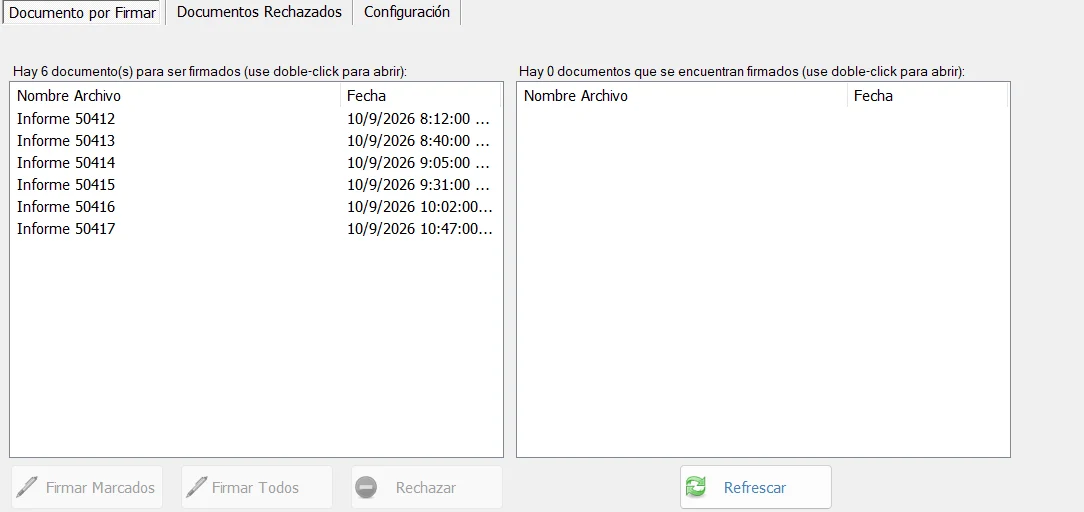
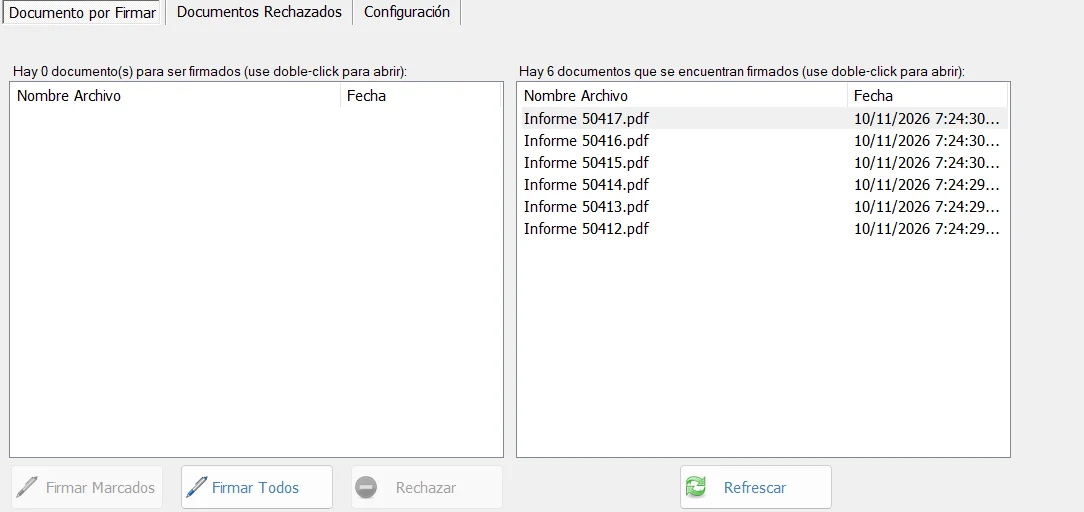
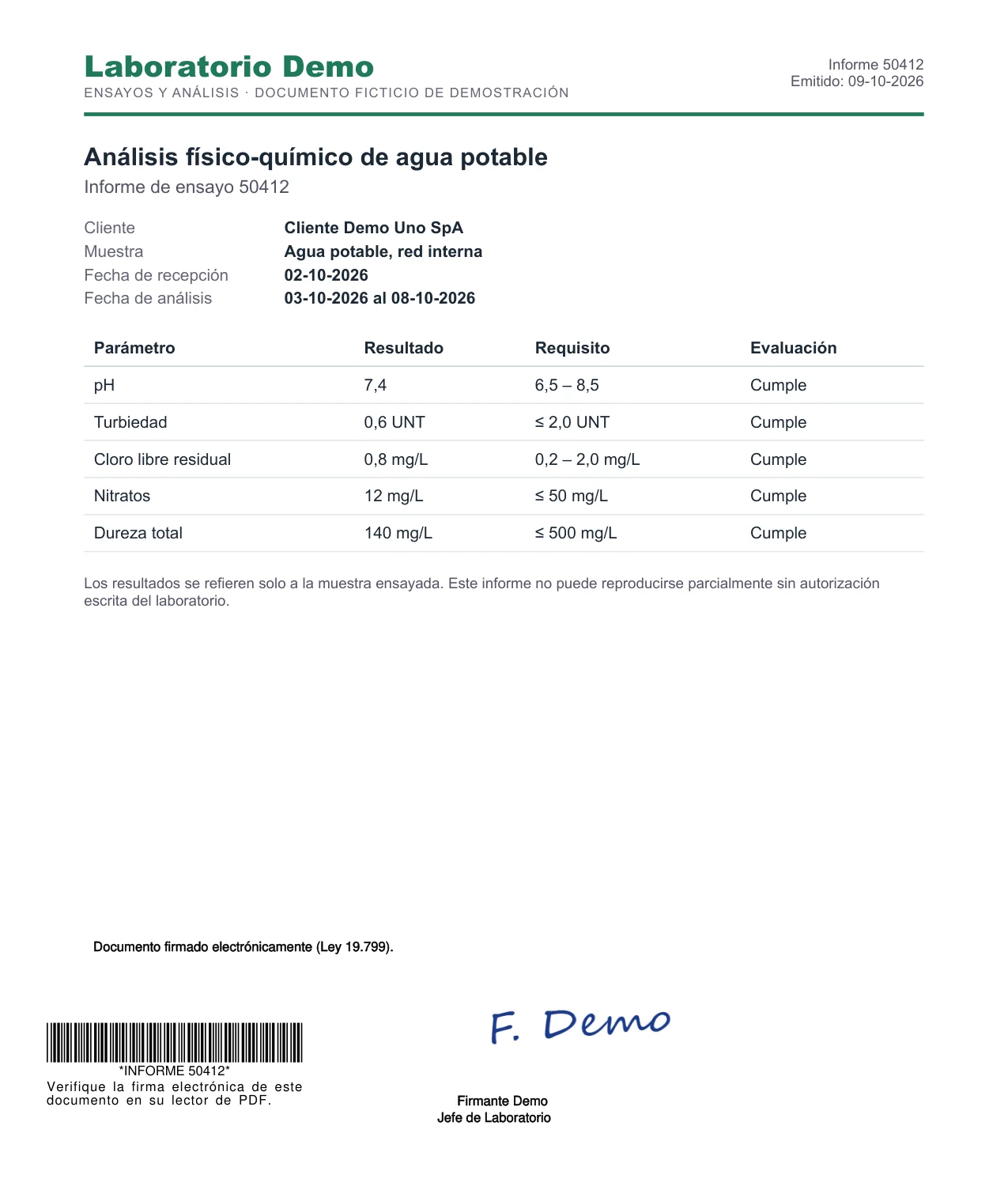
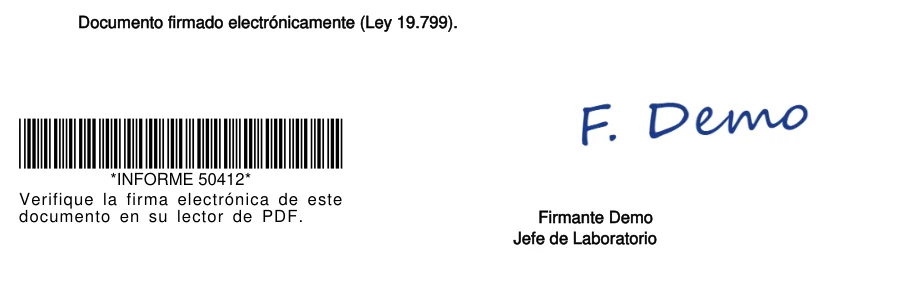
The signature lives in the document
Every PDF carries an embedded digital signature and, on the page, the signer’s handwritten signature, name and title, a barcode with the document number, and the legal wording you set for each document type.
Screenshots of SignRelay signing fictitious reports for a demo laboratory. The interface shown is the Spanish edition.
In production
SignRelay was built to sign a testing laboratory’s result reports: the lab system publishes the reports, the responsible professional signs the batch with their certificate, and the signed reports flow back. The same engine signs any document your organization issues in volume.
What SignRelay does
Batch signing
Pulls pending documents from your system through its API, or from an inbox folder, and signs them all at once.
Each signer’s own certificate
Uses the X.509 certificate in Windows or the signer’s USB token, which prompts for their PIN.
Verifiable anywhere
SHA-256 PKCS#7 signatures embedded in the PDF. Adobe Reader confirms the document has not been modified.
Visible signature
Stamps the signer’s name, title and a barcode on the page, with a layout set per document type.
Folders and audit log
Keeps incoming, signed, backup, error and rejected documents apart, with a daily log of every operation.
Updates itself
Code-signed installer and automatic updates that download only what changed.
Connects to your system
We integrate SignRelay with your LIMS, ERP or document management API so documents arrive and return on their own. No API? It works with shared folders.
Signing one document at a time?
For documents signed one by one or by people outside your organization, see our e-signature services. SignRelay is built for internal volume.
See SignRelay sign your documents
In a 30-minute demo we sign a batch of your test PDFs with a certificate and timestamp, and look at how to connect it to your system.